How to Use InstantGPU.ai: A Complete Guide to GPU Cloud, Serverless AI, and AI Model Deployment
InstantGPU.ai helps simplify access to GPU computing, serverless AI deployment, and AI model endpoints through a unified platform. Whether you want to run a dedicated GPU instance, deploy an AI inference endpoint, experiment with pre-built models, or create a reusable custom environment, you can get started through the InstantGPU dashboard.
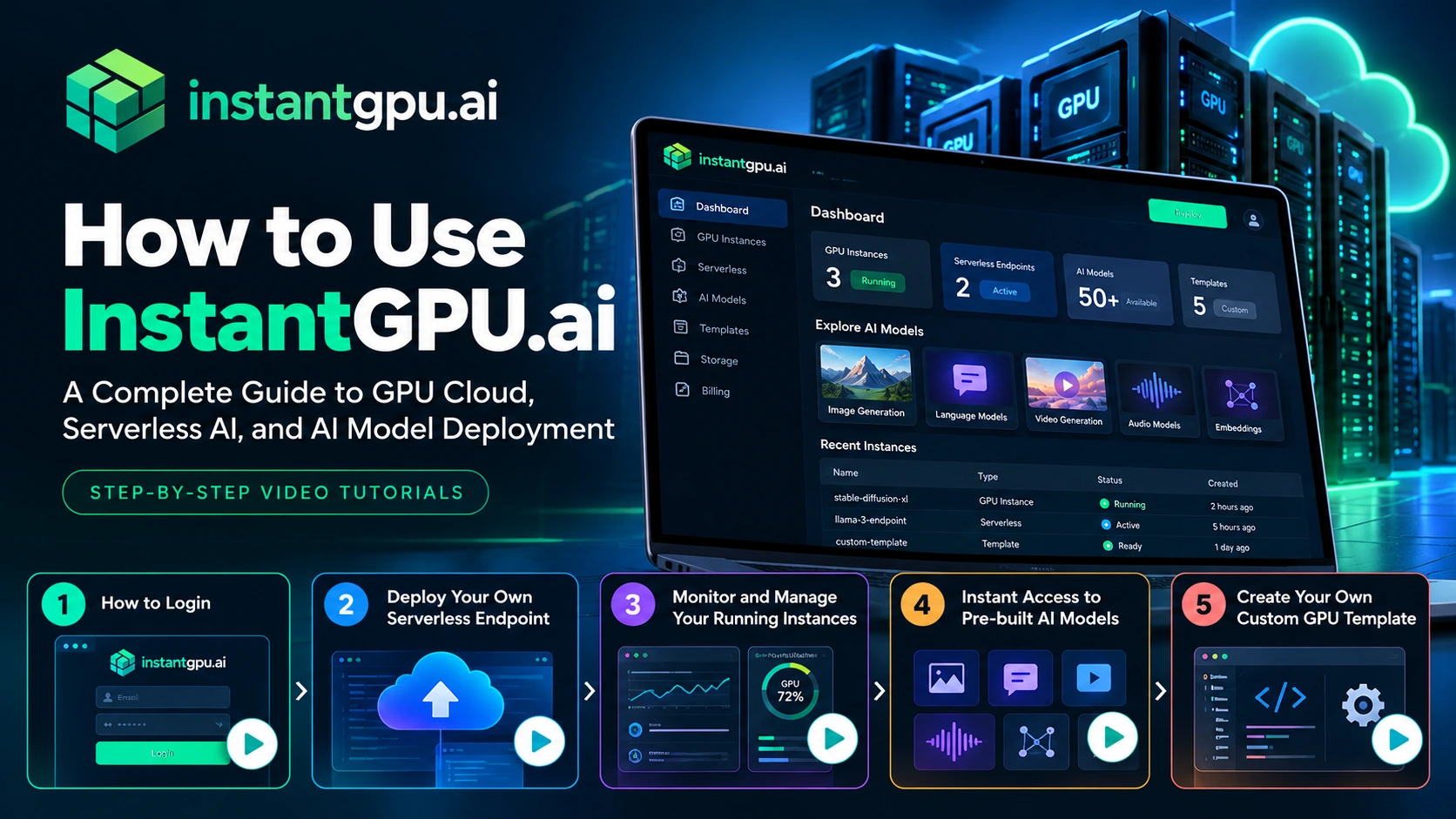
In this guide, we’ll explain how to get started with InstantGPU.ai and walk you through its key features using our step-by-step video tutorials.
What Is InstantGPU.ai?
The platform brings together several capabilities:
- GPU Cloud: Access dedicated GPU instances for development, experimentation, training, and other compute-intensive workloads.
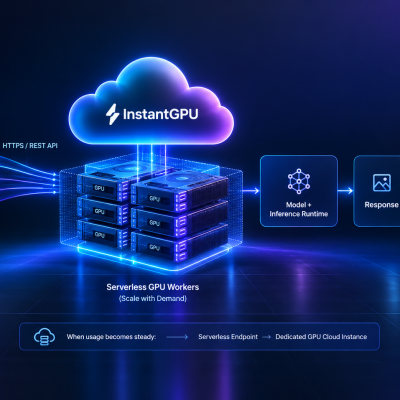
- Serverless AI: Deploy functions and AI workloads that can scale according to demand.
- AI Model Endpoints: Access supported AI models through API-based interfaces for applications involving image generation, video, audio, language, and embeddings.
- Pre-built Templates: Start with existing environments for supported frameworks, models, and tools.
- Custom GPU Templates: Create and reuse environments tailored to your requirements.
Explore the InstantGPU.ai platform to learn more about its available capabilities.
Step 1: How to Log In to InstantGPU.ai
The first step is to access your InstantGPU account.
Once you have registered, you can log in to the platform and access the dashboard, where you can explore the available GPU services, deployments, models, and other account features.
Your dashboard is the starting point for managing your AI workloads and choosing the resources that fit your project.
Watch the tutorial: How to Log In
What you'll learn:
- How to access your InstantGPU account.
- How to navigate to the dashboard.
- Where to begin when exploring the platform.
Step 2: Deploy Your Own Serverless Endpoint
Watch the tutorial: Deploy Your Own Serverless Endpoint
Video: Deploy Your Own Serverless Endpoint on InstantGPU
What you'll learn:
- How to get started with a serverless deployment.
- How to select an appropriate template or deployment option.
- How to configure and deploy your workload.
- How to locate and use your deployed endpoint.
For more information about serverless GPU deployment, visit the InstantGPU Serverless page.
Step 3: Monitor and Manage Your Running GPU Instances
Deploying a workload is only one part of working with GPU infrastructure. You also need to understand its status and manage resources throughout the development lifecycle.
Monitoring and instance management help you keep track of your running workloads and identify when you need to make changes.
Depending on the instance type and available dashboard features, common management tasks can include checking instance status, reviewing available resource information, and starting or stopping instances when appropriate.
For dedicated GPU workloads, effective instance management is particularly important because resources that remain running may continue to incur charges.
Before stopping an instance, make sure you understand whether its storage and any unsaved work will be preserved.
Watch the tutorial: Monitor and Manage Your Running Instances
Video: Monitor and Manage Your Running Instances on InstantGPU
What you'll learn:
- How to find your running instances.
- How to check instance status.
- How to access available management controls.
- How to manage your GPU resources more effectively.
Explore InstantGPU to learn more about the available GPU infrastructure options.
Step 4: Get Instant Access to Pre-built AI Models
Building an AI application does not always require training a model from scratch or configuring an entire inference environment yourself.
Pre-built AI models and deployment templates can help you experiment with existing capabilities and accelerate development.
Depending on your use case, you may want to work with models for:
- Image generation and editing: Create or modify visual content.
- Video generation: Experiment with AI-powered video creation and editing.
- Audio processing: Work with speech generation, transcription, and related audio tasks.
- Language models: Build chatbots, content-generation features, and text-processing workflows.
- Embeddings: Generate vector representations for semantic search, retrieval, and other AI applications.
Watch the tutorial: Instant Access to Pre-built AI Models
What you'll learn:
- How to discover available models.
- How to identify models relevant to your use case.
- How to test supported models.
- How to get started with model access through the platform.
To explore the available model categories, visit InstantGPU AI Model Endpoints.
Step 5: Create Your Own Custom GPU Template
Pre-built templates are useful when you want to get started quickly. However, some projects require a specific combination of libraries, dependencies, frameworks, runtime settings, or application code.
This is where custom GPU templates can help.
A custom template allows you to define an environment that better fits your workload and reuse it when setting up compatible deployments. Instead of repeatedly configuring the same environment, you can work from a saved configuration.
Custom templates can be useful for teams that regularly deploy similar workloads, experiment with specific machine learning frameworks, or maintain consistent development environments across projects.
When creating a custom template, consider the software dependencies, runtime requirements, container configuration, and GPU resources your application needs.
Watch the tutorial: Create Your Own Custom GPU Template
What you'll learn:
- How to start creating a custom template.
- How to configure your environment.
- How to save a reusable template.
- How to use your custom environment for compatible workloads.
Explore the InstantGPU website to learn more about its GPU infrastructure and template capabilities.
What Can You Build with InstantGPU.ai?
Once you understand the basic workflows, you can begin exploring how GPU infrastructure and AI deployment can support your own projects.
Here are a few examples.
- AI-powered SaaS applications
Developers building SaaS products can use GPU infrastructure and model endpoints to support features such as content generation, document processing, image creation, and intelligent automation.
- AI image and video generation tools
GPU-powered workloads can support creative applications that generate, edit, upscale, or process visual content.
- Chatbots and language-based applications
Supported language models can be used to build conversational interfaces, summarization tools, text-processing workflows, and other language-based features.
- Speech and audio applications
AI models for speech synthesis and transcription can support voice interfaces, meeting transcription, accessibility features, and audio-processing workflows.
- Semantic search and retrieval systems
Embedding models can help transform text and other supported inputs into vector representations used in semantic search, similarity matching, and retrieval-augmented generation systems.
The infrastructure and model configuration you need will depend on the workload, performance requirements, and expected usage.
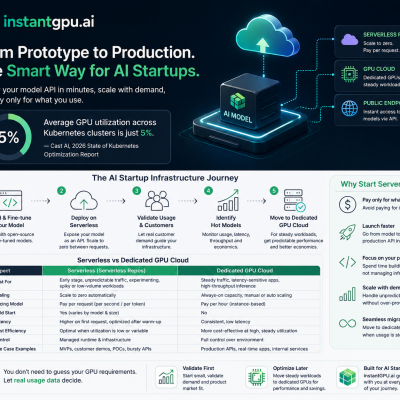
Serverless GPU vs. Dedicated GPU Cloud: Which Should You Choose?
Choosing the right deployment approach is an important part of building an AI application.
| Requirement | Serverless GPU | Dedicated GPU Cloud |
|---|---|---|
| Variable inference traffic | Often a good fit | May require manual resource management |
| Long-running workloads | Depends on execution limits and configuration | Often a good fit |
| Direct server access | Depends on the service | Designed for greater environment control |
| Scaling to zero | Supported where configured | Depends on instance controls and scheduling |
| Billing approach | Usage-based, according to the service’s pricing model | Generally based on instance uptime |
| Custom software environment | Supported deployment options vary | Greater flexibility through direct environment access |
For serverless workloads, explore InstantGPU Serverless. For a broader overview of available infrastructure and services, visit the InstantGPU homepage.
Before deploying, review the applicable pricing and configuration details for your selected service.
Start Using InstantGPU.ai Today
Getting started with AI infrastructure doesn’t have to mean spending days configuring environments before you can experiment with your ideas.
With InstantGPU.ai, you can explore GPU cloud resources, deploy compatible serverless workloads, discover supported AI model endpoints, and create reusable templates for your projects.
If you’re new to the platform, we recommend following the tutorials in order:
- Log in to your account.
- Deploy your first serverless endpoint.
- Learn to monitor and manage running instances.
- Explore pre-built AI models.
- Create a custom GPU template for your requirements.
Each tutorial is designed to help you become more familiar with the platform and move toward deploying your own AI workloads.
Ready to get started?
Visit InstantGPU.ai to explore the platform and begin building with GPU-powered AI infrastructure.

FAQ’S
Frequently Asked Questions
What is InstantGPU.ai?
How do I get started with InstantGPU.ai?
Can I deploy my own AI model on InstantGPU.ai?
What is a serverless AI endpoint?
Can I use pre-built AI models without training my own model?
Why create a custom GPU template?
Where can I find InstantGPU tutorials?
You can follow the video tutorials linked throughout this guide. Visit the InstantGPU website and look for the official InstantGPU YouTube channel for additional product walkthroughs as they become available.