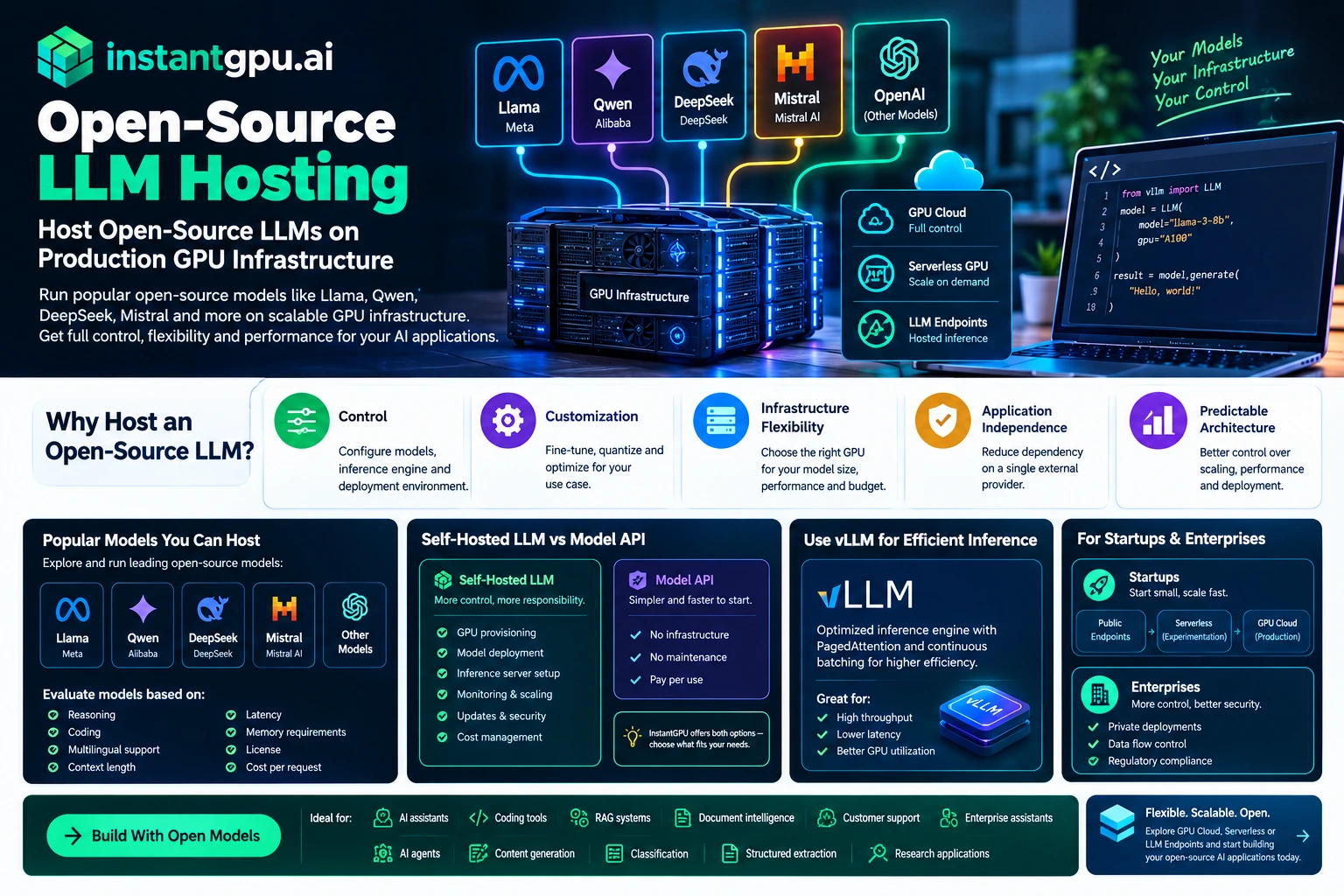
OPEN-SOURCE LLM HOSTING Host Open-Source LLMs on Production GPU Infrastructure Open-source and openly available language models have changed how developers build AI applications. Instead of relying exclusively on proprietary model APIs, teams can deploy compatible models themselves, customize inference settings, fine-tune model weights and maintain greater control over the application architecture. But running an open-source LLM in production still requires GPU infrastructure. Open-source LLM hosting gives developers the compute environment needed to run models such as Llama, Qwen, DeepSeek, Mistral and other compatible models. InstantGPU provides GPU Cloud, Serverless GPU and hosted model endpoints so teams can choose between infrastructure control and managed inference. Why Host an Open-Source LLM? There are several reasons developers choose to host their own models. Control You control the model configuration, inference engine and deployment environment. Customization Open models can be adapted through prompting, fine-tuning, quantization and other optimization techniques. Infrastructure Flexibility You can select GPUs based on model size, performance and budget rather than being restricted to the infrastructure exposed by a single model API. Application Independence Hosting your own model can reduce dependency on a single external AI provider. Predictable Architecture For production applications, owning the inference layer can give engineering teams more control over deployment, scaling and performance. What GPUs Do Open-Source LLMs Need? GPU requirements depend on several factors: Model parameter count Quantization Precision Context length Batch size Concurrent users Target latency KV-cache requirements A small quantized model may be suitable for a single consumer or workstation-class GPU, while larger models can require high-memory GPUs or multiple GPUs. InstantGPU provides access to configurations ranging from cost-efficient GPUs for development and smaller inference workloads to high-memory GPUs for larger models. Host Llama, Qwen, DeepSeek and Other Models One of the biggest advantages of an open model ecosystem is choice. Teams can evaluate models based on: Reasoning Coding Multilingual performance Context length Latency Memory requirements License Cost per request The model that is best for one application may not be the best for another. InstantGPU’s infrastructure lets developers experiment with different models without having to redesign their entire cloud strategy every time. Self-Hosted LLM vs Model API A hosted model API is usually easier to start with. You send a request and receive a response. Self-hosting introduces additional responsibilities, including: GPU provisioning Model deployment Inference server configuration Monitoring Scaling Updates Security Cost management For developers who need infrastructure control, these responsibilities can be worthwhile. For teams that simply want model access, InstantGPU Public Endpoints can provide a simpler path. This makes it possible to choose the appropriate operating model rather than treating every AI workload identically. Using vLLM for Open-Source LLM Inference Modern LLM deployments frequently use optimized inference engines rather than directly executing model code for every request. vLLM is one widely used inference engine for open-source LLM serving. It includes techniques such as PagedAttention and continuous batching designed to improve serving efficiency. InstantGPU includes vLLM among its deployment templates, allowing developers to use established inference infrastructure rather than starting from an empty GPU environment. Open-Source LLM Hosting for AI Startups Startups often need to balance model quality, infrastructure cost and speed of development. A startup may begin by using a hosted API and later move selected workloads to self-hosted open models. A flexible GPU platform makes that transition easier. You can use: Public Endpoints → prototype Serverless → production experimentation GPU Cloud → dedicated production workloads This staged approach can prevent startups from prematurely building complex GPU infrastructure. Open-Source LLM Hosting for Enterprises Enterprises may choose open models because they need greater control over model deployment, data flows and infrastructure. Private deployments can be particularly relevant for applications involving proprietary information. However, organizations should separately evaluate the model’s license, security requirements, data-processing requirements and applicable regulations before deploying a model commercially. Why InstantGPU? InstantGPU combines access to GPU infrastructure with serverless deployment and hosted AI endpoints. The platform currently provides access to a broad range of GPU configurations and sources capacity across multiple providers. That means developers can select infrastructure based on workload requirements instead of being locked into a single GPU provider. Build With Open Models Open-source LLM hosting is useful for: AI assistants Coding tools RAG systems Document intelligence Customer support Internal enterprise assistants AI agents Content generation Classification Structured extraction Research applications Explore GPU Cloud for full control, Serverless for elastic deployments, or LLM Endpoints when you want API-based model access. FAQ’S Frequently Asked Questions What is open-source LLM hosting? Open-source LLM hosting means running an open or openly available language model on your own or managed GPU infrastructure so applications can access it for inference. Can I host Llama or Qwen on a GPU? Yes, provided the model and its license are compatible with your intended use and the GPU has sufficient memory and compute capacity. What GPU is needed to host an open-source LLM? There is no single answer. Model size, quantization, context length and concurrency determine the required GPU capacity. Is self-hosting cheaper than an API? It depends on utilization. High and predictable utilization can make dedicated GPU hosting attractive, while low or unpredictable traffic can favor serverless or API-based inference. Can I fine-tune an open-source LLM? Yes. Compatible models can be fine-tuned using techniques such as LoRA or QLoRA, subject to the model’s technical and licensing requirements. Open-source LLM hosting means running an open or openly available language model on your own or managed GPU infrastructure so applications can access it for inference. Yes, provided the model and its license are compatible with your intended use and the GPU has sufficient memory and compute capacity. There is no single answer. Model size, quantization, context length and concurrency determine the required GPU capacity. It depends on utilization. High and predictable utilization can make dedicated GPU hosting attractive, while low or unpredictable traffic can favor serverless or API-based inference. Yes. Compatible models can be fine-tuned using techniques such as LoRA or QLoRA, subject to the model’s technical and licensing requirements.
LLM INFERENCE HOSTING
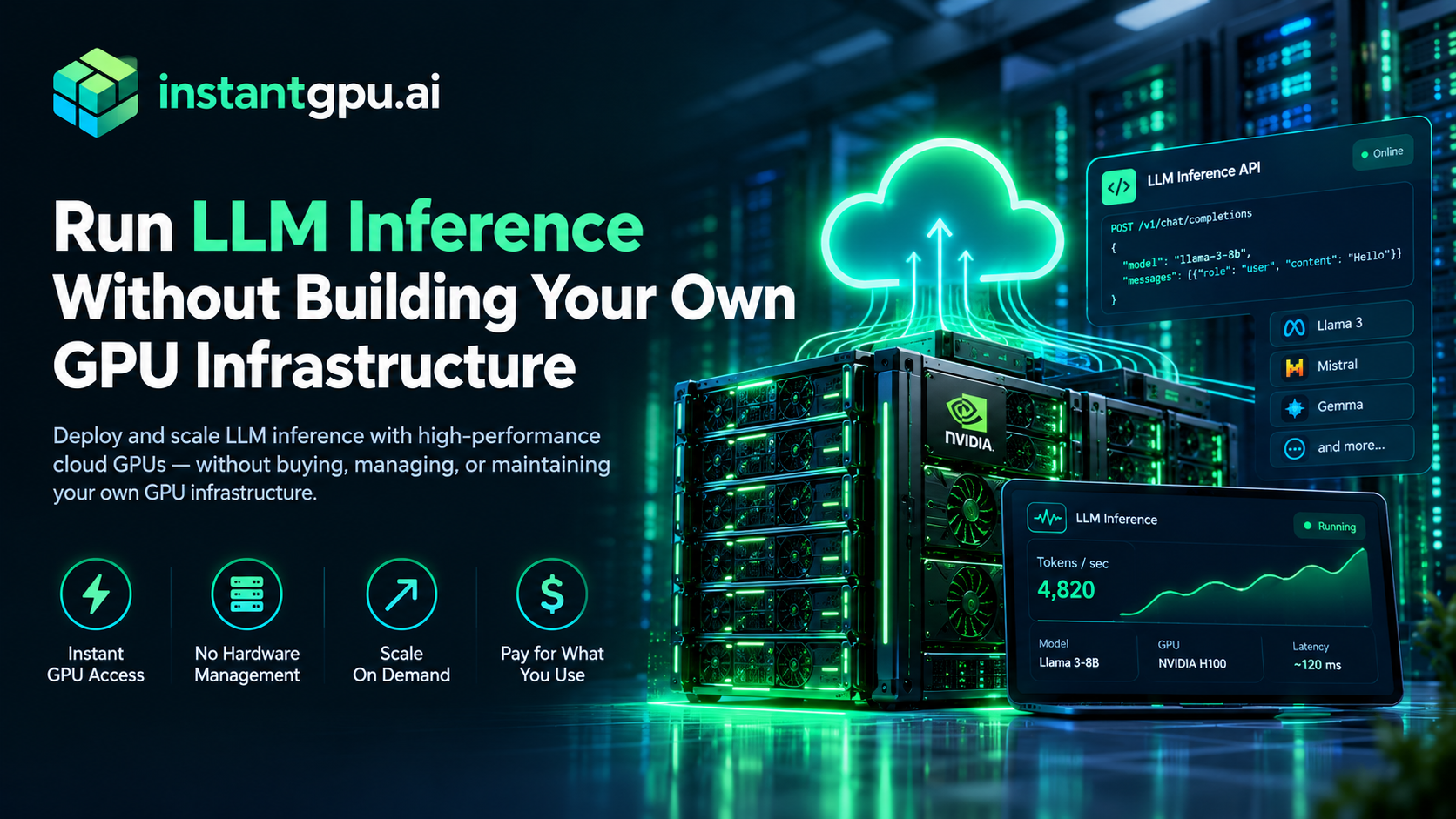
LLM Inference Hosting Run LLM Inference Without Building Your Own GPU Infrastructure Running a large language model in production is very different from experimenting with a model on a local machine. As soon as an application starts receiving real users, teams have to think about GPU memory, model loading, concurrency, latency, scaling, monitoring and infrastructure cost. Moreover, A model that works perfectly in a development environment can become expensive or unreliable when inference traffic increases. LLM inference hosting gives developers a way to run language models on GPU infrastructure without building and maintaining the entire serving stack themselves. InstantGPU provides three ways to run production AI workloads: dedicated GPU Cloud for full infrastructure control, Serverless for variable workloads, and Public Endpoints for calling supported models through an API. What Is LLM Inference Hosting? LLM inference is the process of running a trained language model to generate an output from an input prompt. Unlike model training, inference is typically a recurring production workload. A chatbot may generate thousands of responses every day. A coding assistant may process requests continuously. A document-processing application may send large batches of prompts to an LLM. LLM inference hosting provides the GPU compute and model-serving infrastructure required to perform this work. Depending on the workload, an application may require: High-memory GPUs Fast model loading Efficient GPU utilization Continuous or dynamic batching Low-latency inference Autoscaling API access Persistent model storage Monitoring and request metrics Further, The right architecture depends on traffic patterns and the model being deployed. Why Use GPU Infrastructure for LLM Inference? Modern language models can require substantial GPU memory and compute. Smaller models can often run on a single GPU, while larger models may require high-memory GPUs or multiple GPUs. Quantization can reduce memory requirements, while optimized inference engines can improve throughput and latency. InstantGPU gives teams access to a wide range of GPU configurations so they can select infrastructure appropriate to their model. For long-running or predictable workloads, GPU Cloud provides dedicated infrastructure with SSH access and full environment control. Also, For workloads with unpredictable demand, Serverless GPU can automatically scale workers based on traffic and scale to zero when idle. For teams that simply want to consume a model through an API, Public Endpoints remove the need to manage GPU infrastructure. LLM Inference Hosting Options Dedicated GPU Cloud Dedicated GPU Cloud is suitable when you need: Persistent model loading Full SSH access Custom CUDA environments Long-running inference Fine-tuned models Custom inference servers Predictable workloads You can select a GPU, configure the environment and run your preferred model-serving stack. Serverless LLM Inference Serverless is designed for applications where traffic changes over time. Instead of paying for an always-running GPU, your inference workload can run when requests arrive and scale down when demand disappears. This can be useful for: AI SaaS applications Prototype applications Internal AI tools API workloads Event-driven pipelines Applications with unpredictable traffic LLM API Endpoints If infrastructure management is not part of your product’s value proposition, an API-based approach may be simpler. InstantGPU provides hosted language models through an API-compatible interface, allowing developers to integrate language models without managing the underlying GPU environment. What Can You Build With LLM Inference? LLM inference infrastructure can power: AI Chatbots Deploy conversational AI for customer support, internal knowledge assistants and consumer applications. AI Coding Assistants Run models designed for code generation, code explanation, debugging and software development workflows. Document Processing Use LLMs for classification, extraction, summarization and structured data generation. RAG Applications Combine vector retrieval with LLM inference to create applications that answer questions using private or frequently changing information. AI Agents Agents use language models repeatedly as they reason, call tools and execute tasks. Reliable inference infrastructure becomes increasingly important as agent workloads scale. LLM Inference With InstantGPU InstantGPU lets teams choose the infrastructure model that matches their workload instead of forcing every application into the same architecture. GPU Cloud provides control. Serverless provides elasticity. Public Endpoints provide simplicity. This allows an AI application to move from experimentation to production without completely changing its infrastructure strategy. Why InstantGPU? InstantGPU is designed as a multi-cloud GPU platform rather than a single-provider GPU marketplace. The platform currently sources GPU capacity across multiple providers and supports a broad range of GPU configurations. This matters because GPU availability can change quickly. Instead of depending on one provider’s capacity, InstantGPU can search across its connected infrastructure providers and support workload migration when appropriate. For developers, this means less time spent hunting for available GPUs and more time building the actual AI application. When Should You Use LLM Inference Hosting? LLM inference hosting is a strong fit when you need to: Deploy an open-source LLM Run a private language model Build an AI SaaS product Serve a fine-tuned model Build a RAG application Power an AI agent Reduce dependence on a single model API Control your inference infrastructure Scale GPU inference with application demand Start Running LLM Inference Whether you need a dedicated GPU, a serverless inference function or a production-ready model API, InstantGPU provides a path from model experimentation to production deployment. Explore LLM inference, compare available infrastructure through GPU Cloud, or deploy variable workloads with Serverless GPU. FAQ’S Frequently Asked Questions What is LLM inference hosting? LLM inference hosting provides the GPU infrastructure and model-serving environment required to run a large language model and generate responses for applications. What GPU do I need for LLM inference? The GPU requirement depends on model size, precision, context length, concurrency and latency requirements. Smaller quantized models can run on lower-memory GPUs, while large models may require high-memory or multi-GPU configurations. Can I host an open-source LLM? Yes. With GPU Cloud or Serverless infrastructure, developers can deploy compatible open-source models and their own model weights. Is serverless GPU good for LLM inference? Serverless GPU can be useful for variable or event-driven inference workloads because capacity can scale based on demand instead of requiring a continuously running GPU. Can I use an LLM through an API? Yes. InstantGPU provides hosted language-model
Truly Serverless GPU
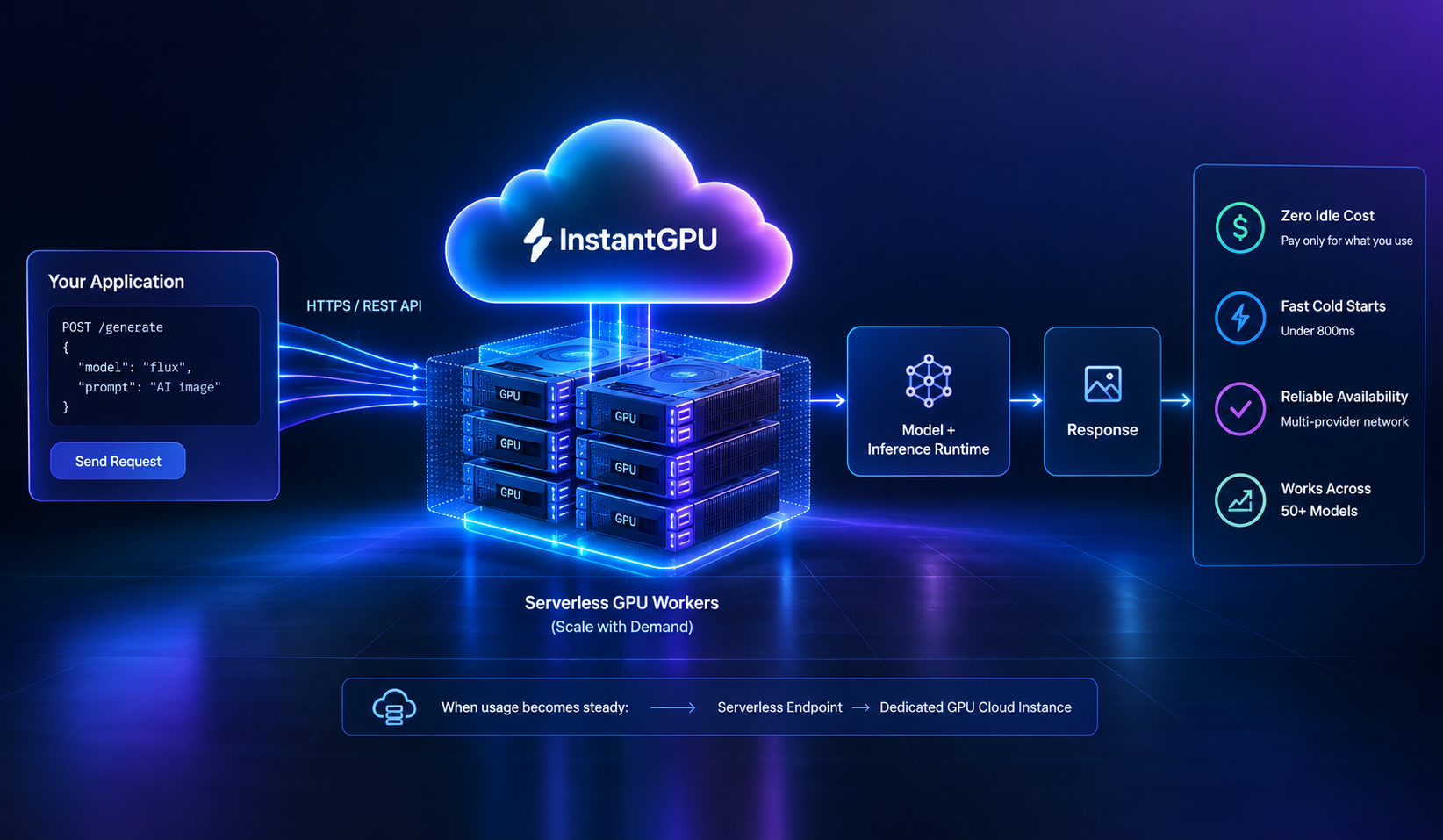
What a Truly Serverless GPU Platform Actually Looks Like In short: a lot of platforms call themselves “serverless” while still charging for idle time, or scaling up fast but back down slowly. A truly serverless GPU platform does three things at once — scales to zero with no idle cost, comes back from zero fast enough that users don’t notice, and does it consistently across its whole catalog, not just one flagship product. This piece defines what a truly serverless GPU platform should mean, and looks at where InstantGPU’s published numbers do and don’t meet that bar. Serverless” gets used loosely — here’s a stricter definition Plenty of GPU platforms market themselves as serverless because they offer autoscaling. That’s necessary but not sufficient. A genuinely serverless GPU platform needs to satisfy three conditions together: No idle cost. You pay for GPU-seconds (or generations, or tokens) actually used — nothing while a worker is scaled to zero. Fast enough cold starts that scale-to-zero is actually usable. If bringing a GPU back from zero takes tens of seconds or minutes, teams end up keeping workers warm (and paying for them) just to avoid the wait — which quietly defeats the point of serverless pricing. Consistency, not just a best case. A platform that’s fast on one showcase model but slow everywhere else isn’t a truly serverless GPU platform — it’s one fast product with a serverless label on the rest. A platform that’s slow on any one of these is “serverless” in name but not in practice — you end up either paying for idle time somewhere, waiting on cold starts somewhere, or both. Where InstantGPU’s published numbers land against a truly serverless GPU bar On condition 1 (no idle cost): InstantGPU’s model API endpoints bill strictly per generation or token used, and the serverless GPU tier scales workers to zero when idle with no charge while nothing is running. Platform pricing starts from $0.39/hr for workloads that do run, with a published 99.99% uptime SLA. On condition 2 (fast enough cold starts): InstantGPU publishes cold starts under 800 milliseconds across its model API endpoints. That’s the number that actually matters for whether scale-to-zero is usable — sub-second is fast enough that most users won’t perceive a wait, which is the practical bar a cold start has to clear to count as “truly” serverless rather than serverless-with-a-catch. Consistency Across Models and Endpoints On condition 3 (consistency, not just a best case): this is the condition worth checking most carefully, because it’s where a lot of “serverless” marketing quietly narrows to one flagship number. InstantGPU states the under-800ms figure applies across all endpoints — more than 50 models spanning image, video, audio, and language, not a single showcase product. The published catalog shows the range this covers: image models like Flux Schnell and GPT-Image 1.5 at roughly 1.2 seconds total estimated latency, up to a larger text-to-video model like Veo 3.1 at roughly 4.5 seconds — different total response times depending on how much computation each model actually does, sitting on top of the same sub-800ms cold-start floor. InstantGPU also publishes a more specific, cluster-level figure for its GPU-accelerated video generation product: H100 clusters warming up in under 1.8 seconds, with 640GB of pooled HBM3 memory shared across eight H100s over NVLink 4.0 so large models don’t reload from scratch between requests. All of the figures above are InstantGPU’s own published numbers, not independently audited third-party benchmarks. Treat them as a starting reference point — test them against your own model and traffic pattern before relying on them for a production decision. The part “truly serverless” claims usually leave out: availability Speed and zero-idle-cost billing are the two conditions most “serverless” marketing focuses on. There’s a third, quieter requirement that matters just as much in production: the GPU has to actually be there when a cold-start request needs one. A sub-second warm-up is only useful as often as the underlying capacity is available to warm up in the first place. This is the condition a truly serverless GPU platform can’t skip, and it’s where InstantGPU’s architecture does something structurally different from a single-data-center platform: because it sources capacity from a network of GPU providers rather than one provider’s inventory, it continuously monitors instance health and availability, and automatically migrates a workload to another provider in its network if a GPU becomes unhealthy or unavailable — notifying the user only if nothing equivalent can be found. A fast cold start on a GPU that isn’t there doesn’t help; this is the piece that makes the speed numbers dependable rather than best-case. The same “don’t make the user wait on infrastructure” principle shows up on a different product entirely: InstantGPU’s dedicated GPU Cloud tier provisions bare-metal instances in under 60 seconds with no queue. It’s solving a different problem — GPU Cloud is for persistent, dedicated workloads rather than on-demand serverless ones — but it’s the same underlying design instinct applied to a different part of the platform. What we can’t tell you In the interest of not overstating what “truly serverless” means here: InstantGPU hasn’t published the specific internal engineering techniques behind its cold-start numbers. The broader industry generally approaches this class of problem with some combination of capacity buffering, lazy container or filesystem loading, and process or GPU-memory snapshotting — but we can’t confirm which of these, if any, make up InstantGPU’s actual implementation without inventing a level of detail that isn’t publicly available. If that matters for your evaluation, it’s a fair, specific question to put to the InstantGPU team directly. The takeaway “Truly serverless” should mean more than autoscaling — it means no idle cost, cold starts fast enough to make scale-to-zero practical rather than theoretical, and that speed holding across a real catalog, not just a flagship model, backed by capacity that’s actually available when needed. On InstantGPU’s own published numbers, the platform meets that bar at the figures given: sub-800ms cold starts across 50+ models, zero idle billing,
AI Startup Model Hosting
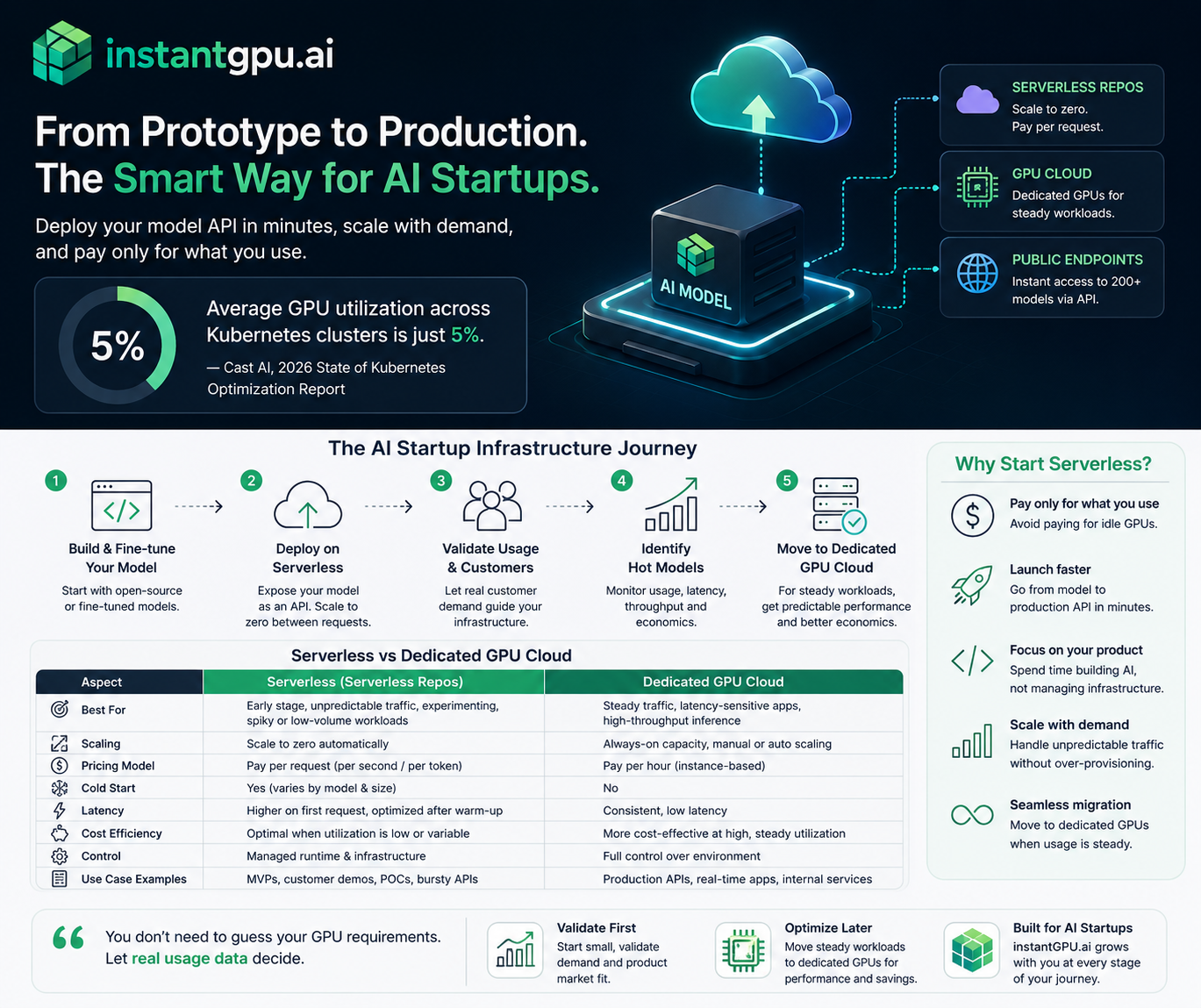
AI startups need inference infrastructure before they need infrastructure teams For an early-stage AI startup, getting a model into production is only the beginning. The next challenge is making that model available through a reliable API while customer usage is still uncertain. Buying or reserving dedicated GPU capacity too early can leave expensive compute sitting idle; building the entire GPU serving stack internally can consume engineering time that would otherwise go toward the product. InstantGPU provides a path between those two extremes. A startup can deploy an open-source or fine-tuned model as a Serverless endpoint, let infrastructure scale with demand during the validation stage, and move a consistently busy model to dedicated GPU Cloud capacity when the economics and performance requirements justify it. The industry data behind the problem 5% — average GPU utilization measured by Cast AI across the Kubernetes clusters included in its 2026 State of Kubernetes Optimization Report. Cast AI analyzed tens of thousands of Kubernetes clusters across AWS, Google Cloud and Microsoft Azure. Its reported average GPU utilization was only 5%. The report notes that this corresponds to roughly 20 times as much provisioned GPU capacity as workloads were consuming at a given moment. This is not a statistic specifically about AI startups or Serverless platforms; it is a broader production-Kubernetes benchmark. It is useful here because it illustrates the economic risk of provisioning GPU capacity for peak or uncertain demand. 10–200× — latency improvement reported by the ServerlessLLM research system over state-of-the-art serverless systems across evaluated LLM inference workloads. The ServerlessLLM paper, published in 2024, addresses one of the central technical challenges of serverless LLM inference: loading large model checkpoints and starting inference quickly. Its evaluation reported 10–200× lower latency than state-of-the-art serverless systems across the workloads it tested. This is a research result for that system and should not be interpreted as a guaranteed InstantGPU performance figure. 6–8× — startup-time reduction discussed in a 2024 review of serverless LLM inference techniques for the ServerlessLLM approach. Cold starts remain an important consideration for GPU serverless workloads. A 2024 review of serverless inference describes ServerlessLLM’s multi-tier checkpoint loading approach as reducing startup time by approximately 6–8× compared with conventional loading approaches. Again, this is published research rather than an InstantGPU SLA or product benchmark. The problem: your customers arrive before your traffic does Suppose an AI startup has fine-tuned an open-source language model for a specific vertical. The model is ready, the application is ready, and the team needs an API for its first customers. At this stage, usage may look like this: A handful of API requests during development and testing. A few hundred requests on one day after a customer launch. Very little traffic overnight. A sudden burst when a new customer integrates the API. Several models being tested before the startup decides which one will become the primary production model. The infrastructure decision is therefore difficult. Provision for the average and risk running out of capacity at the wrong time. Provision for the peak and pay for resources that may remain idle. Or build an autoscaling GPU platform internally and take on another infrastructure project before product-market fit is proven. The solution: start serverless, then graduate to dedicated GPU Cloud InstantGPU is designed around a simple progression: use elastic Serverless infrastructure when demand is uncertain, then use dedicated GPU capacity when demand becomes predictable. Stage 1 — Deploy the model as a Serverless endpoint The startup deploys its open-source or fine-tuned model from an InstantGPU template or repository. The application logic remains focused on inference rather than on assembling GPU infrastructure. Package the model and inference handler. Use a suitable serving stack or template, such as a production-ready vLLM-based inference service where appropriate. Expose the model through an API endpoint. Configure scaling around actual demand. Stage 2 — Scale with customer demand During early traction, demand is often intermittent. InstantGPU’s Serverless offering is designed to burst from zero based on workload demand, so the startup does not have to keep a dedicated GPU worker running simply because another request might arrive later. The distinction matters: scale-to-zero does not mean zero latency. A cold start can introduce startup overhead when a model is not already warm. That trade-off should be considered explicitly for latency-sensitive applications. Published research on serverless LLM inference exists precisely because model loading and GPU initialization are significant engineering challenges. Stage 3 — Move consistently hot models to dedicated GPU Cloud Eventually, a model may become consistently busy. Requests arrive throughout the day, latency becomes more important, and the startup can forecast its compute requirement with greater confidence. That is the point at which a dedicated GPU instance can make more sense. Instead of paying the operational and latency trade-offs of repeatedly starting serverless workers, the startup can keep the model warm on dedicated GPU capacity and optimize around sustained throughput and predictable traffic. AI startups need inference infrastructure before they need infrastructure teams Business stage Traffic pattern Recommended deployment Primary objective Prototype / private beta Low and unpredictable Serverless Get the API live quickly Early customer traction Spiky / intermittent Serverless with autoscaling Avoid paying for idle capacity Growing usage Increasing and increasingly predictable Serverless + dedicated for hot workloads Balance elasticity and latency Steady production workload High and sustained Dedicated GPU Cloud Maximize predictable throughput Serverless vs. Dedicated GPU Cloud Neither deployment model is universally better. The right choice depends on traffic shape, latency requirements, model size, concurrency, and how predictable the workload has become. Factor Serverless GPU Dedicated GPU Cloud Best fit Early-stage and variable workloads Steady, high-utilization workloads Capacity Elastic; workers can scale with demand Reserved/dedicated capacity Idle periods Can scale to zero GPU remains provisioned Cold starts Possible when capacity is not warm Avoided when model stays loaded Traffic predictability Works well when uncertain Traffic predictability Works well when uncertain Best when demand is predictable Latency Must account for startup/warm-up behavior More consistent for continuously served APIs Operational burden Infrastructure managed by platform More control,
Serverless GPU Providers Compared
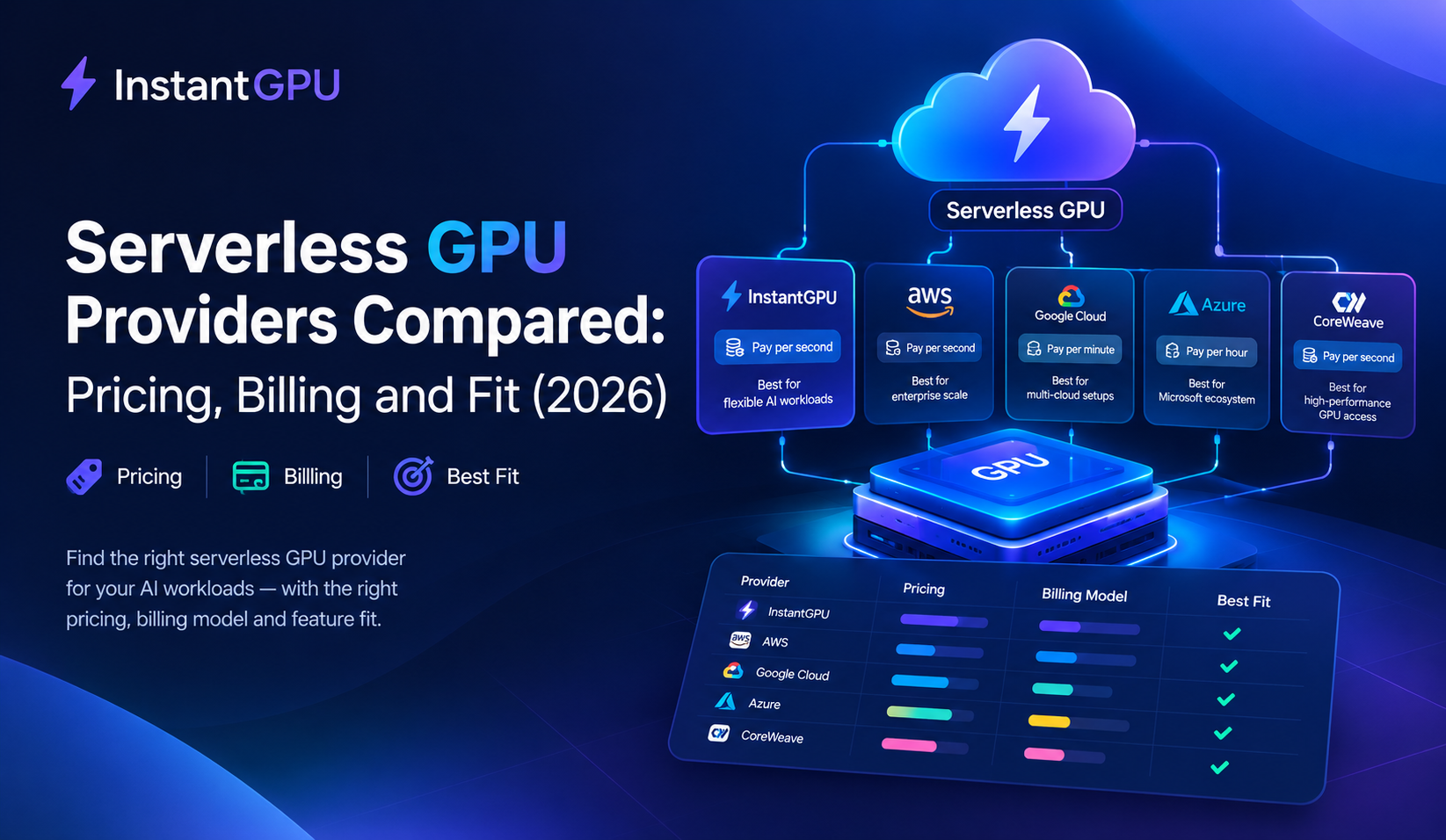
Top Serverless GPU providers Compared: Pricing, Billing and Fit (2026) Last updated: September 28, 2026. Prices are list rates checked on this date and change often, so confirm them on each provider’s pricing page before deciding. Serverless GPU is a cloud model where GPU workloads scale up on demand and back down to zero when idle, and you pay only for the time your code actually runs. Top Serverless GPU providers guide compares five serverless GPU providers on what decides the bill: how they meter usage, what a single H100 costs, and what you pay when nothing is running. Key takeaways Listed H100 80GB rates for the four providers with published numbers range from $1.89/hr to $6.50/hr. The cheapest rate is not always the cheapest bill. Billing granularity matters as much as price. Most providers here bill per second; Baseten bills per minute, rounded up. A serverless GPU beats a dedicated one only when your GPU would be busy less than the ratio of the two hourly rates. With illustrative rates, that break-even is around 63% utilization. Cold starts and concurrency limits, not price, are what most often hurt a real workload. Test both with your own model. How we compared these providers This guide is published by InstantGPU, and InstantGPU is one of the five providers. To keep the comparison fair, providers are listed alphabetically, not ranked, and every price below comes from the provider’s own pricing page or from a named third-party tracker quoting it. Where a provider does not publish a number, we say so instead of estimating. We compared five things: billing unit, listed H100 80GB rate, idle cost, how you deploy, and the type of workload each provider suits best. This is not an exhaustive list of serverless GPU providers. Serverless GPU comparison table Provider Billing unit H100 80GB (listed) Idle cost Best for Baseten Per minute (rounded up) $6.50/hr $0 when scaled to zero Managed production inference Fal Per second (custom deployments); per output (hosted models) from $1.89/hr* Usage-based Image and video generation InstantGPU Per second See pricing page $0 when scaled to zero Multi-provider capacity with automatic failover Modal Per second $3.95/hr ($0.001097/sec) $0 (no idle charges) Python-first custom workloads Replicate Per second (hardware); per output (some public models) $5.49/hr ($0.001525/sec) $0 when nothing runs Running public models behind an API *Fal lists H100 “starting at” $1.89/hr for custom deployments and asks you to contact its team to get started. Rates are for a single H100 80GB and are not like-for-like. Baseten’s rate includes its managed serving platform, and Fal’s is a starting price. Top Serverless GPU providers Baseten Baseten is a model-serving platform. You package a model with its Truss framework, define GPU resources in a config.yaml file, and deploy with truss push. Dedicated deployments are billed per minute by GPU type (H100 80GB is listed at $0.10833/min, about $6.50/hr), and deployments that scale to zero stop billing. It also sells hosted model APIs priced per token. Watch out for: minute-level billing rounds partial minutes up, so very short, frequent requests cost more than under per-second billing. Fal Fal focuses on media generation. It offers ready-made endpoints for popular image and video models, billed by output (per image or per second of video), plus custom deployments on its GPU fleet billed per second. Its pricing page lists H100 from $1.89/hr and A100 40GB from $0.99/hr for custom deployments. Watch out for: custom-deployment pricing is “starting at” and requires contacting the team, so the effective rate is less predictable. InstantGPU InstantGPU sources GPU capacity from a network of providers and puts it behind one account and API. Its serverless tier lets you deploy from a template or your own container, write a Python handler, and get an API endpoint. Workers scale to zero when idle and you are billed per second of execution. If an instance becomes unhealthy or unavailable, the platform searches its provider network and migrates the workload automatically. The same account also includes hourly GPU Cloud instances and hosted model APIs. Watch out for: as with any newer platform, check current rates and GPU availability for your region on the pricing page. Modal Modal is a Python-first platform: you declare the GPU in code (for example @app.function(gpu=”A100″)) and Modal handles containers and scaling. It bills per second with no idle charges, and lists H100 at $0.001097/sec. The free Starter plan includes $30/month in credits, and the Team plan is $250/month plus compute. Modal says it provisions GPU containers in under a second; treat that as a vendor claim and test it. Watch out for: the Starter plan lists a limit of 10 concurrent GPUs, which matters for bursty traffic. Replicate Replicate is best known for its library of public models you can call through an API. For private and custom models, hardware is billed per second (H100 at $0.001525/sec, A100 80GB at $5.04/hr, L40S at $3.51/hr), and it scales to zero when nothing runs. Some public models are billed per output instead, such as per image. Watch out for: 4x and 8x multi-GPU configurations require a committed-spend contract rather than self-serve access. How to choose Top Serverless GPU providers: the break-even rule Serverless GPU is cheaper than a dedicated GPU when your utilization is below this ratio: Break-even utilization = dedicated hourly rate ÷ serverless rate per active hour Illustration (assumed rates, not a quote): if a dedicated H100 costs $2.50/hr and a serverless H100 costs $3.95 per active hour, break-even is 2.50 ÷ 3.95 ≈ 63%. A service that is busy 4 hours a day would cost about $474/month serverless (120 active hours × $3.95) against about $1,825/month for an always-on dedicated GPU (730 hours × $2.50). A service busy 22 hours a day would flip the result. So: bursty, low-utilization, or unpredictable workloads favor serverless GPU. Steady, high-utilization workloads favor a dedicated instance. Cold starts and concurrency Two things the price table cannot show: Cold start: when a worker has scaled to zero, the next request
GPU Cloud Pricing
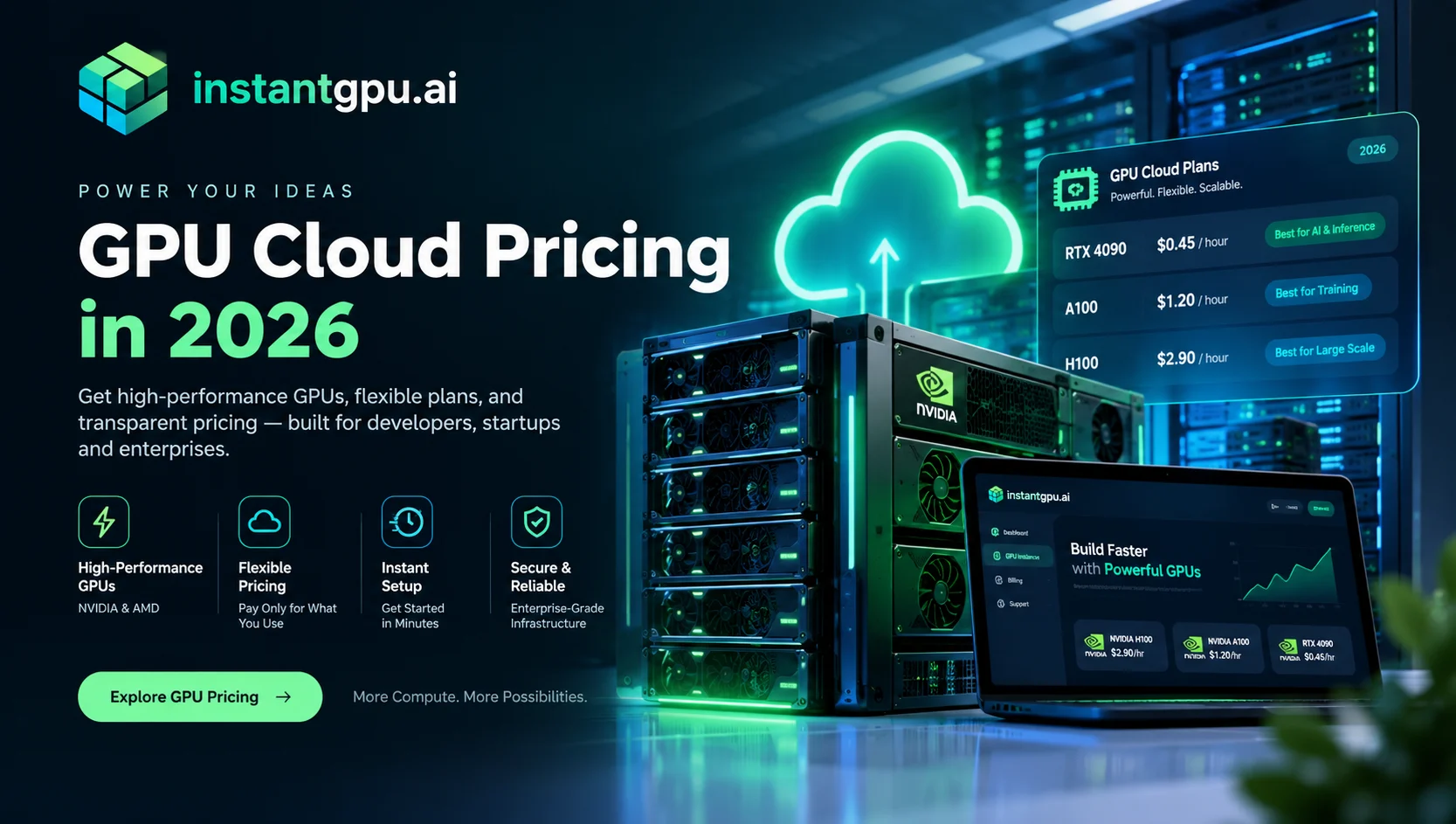
GPU Cloud Pricing in 2026: Why On-Demand Hyperscaler Rates Aren’t the Real Market Price Ask most teams what an H100 costs and they’ll quote a hyperscaler’s on-demand rate — somewhere north of $12 per GPU per hour. That number is accurate. It’s also not the price most workloads need to pay, because on-demand hyperscaler pricing reflects one narrow slice of a much larger GPU supply market. GPU cloud pricing in 2026 is not one number. It’s a spread — sometimes a 4-5x spread — depending on whether you’re buying reserved capacity from a single hyperscaler, or sourcing from a wider network of GPU providers competing on price and availability in real time. This piece breaks down what actually drives that spread, what real current pricing looks like across GPU types, and how to think about picking a rate instead of just accepting the first number you see. Why GPU Availability Breaks Down on Single-Provider Clouds Chip supply constraints High-demand GPU types — H200, B200, the newest hardware generations — face genuine chip-level supply constraints. Manufacturing capacity gets prioritized toward the newest architecture, memory costs rise, and cloud providers pass scarcity pricing straight through to on-demand rates. This is real and it isn’t going away soon. Reservation structures inflate the “sticker price” you’re shown by default A large share of hyperscaler on-demand pricing exists because most high-end capacity is locked up in 1-3 year reservation contracts, leaving a thin, expensive slice available for pay-as-you-go access. Also, The rate you see when you spin up an on-demand instance isn’t the market-clearing price for the hardware — it’s the price for the leftover capacity nobody pre-committed to. Single-provider pricing reflects one fleet, not the market A single cloud’s rate card is set by that cloud’s own capacity, its own margin structure, and its own regional footprint — not by what the GPU actually costs to access elsewhere. Comparing rates across a wider set of providers routinely surfaces a large gap between the “default” price and the real one. What GPU Cloud Pricing Actually Looks Like Right Now The table below reflects live, per-hour pricing sourced across a network of connected GPU providers — not a single hyperscaler’s rate card, and not a quote you have to request: GPU VRAM Best For $/hr From NVIDIA B200 179GB Frontier LLM training & long-context inference $6.25/hr NVIDIA H200 NVL 140GB Frontier LLM training & long-context inference $3.21/hr NVIDIA H100 SXM 80GB Large model training & high-throughput inference $2.82/hr NVIDIA H100 PCIe 80GB Large model training & high-throughput inference $2.47/hr NVIDIA A100 PCIe 80GB Large model training & high-throughput inference $1.59/hr NVIDIA A100 SXM4 40GB Fine-tuning, mid-size training, inference $0.696/hr NVIDIA L40S 45GB Fine-tuning, mid-size training, inference $0.535/hr NVIDIA RTX 4090 24GB Image/video generation, mid-tier AI workloads $0.513/hr Two things worth noticing here. First, the range: from under $0.10/hr for entry-level cards up to the high single digits for frontier hardware — over 100 GPU types are priced individually, not bucketed into a handful of instance sizes. Second, these are live figures pulled from active provider capacity, updated continuously, not a quarterly-refreshed rate card. Why the Gap Between “Sticker Price” and Real Price Is So Large Published on-demand hyperscaler pricing for top-tier GPUs like the H100 commonly runs well into double digits per GPU-hour. Sourcing the same GPU class across a broader, competitively-priced provider network can land at a fraction of that rate for comparable hardware. That gap isn’t a rounding error — it can be the difference between a project that’s economically viable at scale and one that isn’t. Further, This happens because on-demand hyperscaler pricing is priced for convenience and guaranteed capacity within one ecosystem, while a multi-provider marketplace model prices GPUs closer to what the underlying hardware actually costs to access, because providers are competing for your workload rather than holding a fixed rate card. GPU Cloud Pricing vs. Serverless Pricing: Which Model Fits Your Workload GPU Cloud (per-hour) Serverless (per-second) Billing unit Hourly, for the full duration the instance runs Per second of actual execution Idle cost You pay until you stop or schedule the instance off $0 — scales to zero automatically Best for Long-running training, fine-tuning, dedicated workloads Event-driven inference with unpredictable traffic Control level Full SSH/VM access API endpoint, no infrastructure management Practical Ways to Lower Your Effective GPU Cloud Cost Match the billing model to the workload shape. Don’t run a bursty, unpredictable inference workload on hourly billing — the idle time between requests is pure waste. Use scheduled stop/start for training workloads. A GPU Cloud instance running a fine-tuning job doesn’t need to stay live overnight or on weekends if the job isn’t running. Price-check across GPU types, not just within one. A workload that needs 80GB of VRAM has multiple hardware options at meaningfully different price points — the newest chip isn’t always the requirement. Compare live rates before committing. A rate card that hasn’t updated in months isn’t reflecting current market conditions on either side — supply or price. GPU Cloud Pricing Frequently Asked Questions How much does GPU cloud pricing actually vary? GPU cloud pricing can vary by several multiples depending on the source — hyperscaler on-demand rates for hardware like the H100 can run several times higher than rates available through a broader, competitively-priced provider network for comparable hardware. Is per-hour or per-second GPU billing cheaper? Neither is inherently cheaper it depends on the workload. Per-hour billing suits long-running, continuously-active jobs like training or fine-tuning. Per-second billing with scale-to-zero suits event-driven inference with gaps between requests, since you stop paying the moment execution ends. Why do GPU prices vary so much between providers? Pricing differs based on reservation structures, regional capacity, and how much of a provider’s fleet is locked into long-term contracts versus available on-demand. A single provider’s rate card reflects that provider’s specific capacity and margin, not the broader market rate for the hardware. What’s the cheapest way to access high-end GPUs like the H100 or H200? Comparing live rates
GPU Availability
Solving the GPU Availability Problem: How InstantGPU Never Runs Out of GPUs Ask anyone who’s tried to launch a training run or scale an inference API in the last two years what the actual bottleneck was, and cold-start latency is rarely the first answer. The first answer is almost always GPU availability the GPU you needed simply wasn’t there when you needed it. This is the problem this post is about. Not how fast a GPU boots once you have one — that’s a real, related problem, and we address it too but the more fundamental one: can you get the GPU at all, and what happens the moment you can’t. What Is the GPU Availability Problem? GPU availability := the probability that a specific GPU type, in your target region, is actually obtainable at the moment you request it — not the moment it’s advertised as being in stock. This distinction matters because cloud providers routinely advertise capacity and pricing that isn’t actually reservable at request time. High-demand hardware H100s during a launch window, H200s during a model release cycle, B200s at any time — flips between “Available,” “Limited,” and “Unavailable” often enough that treating availability as a given is, in practice, a planning mistake. Most GPU clouds leave this entirely as the developer’s problem: watch dashboards, keep backup vendor accounts open just in case, write your own failover logic, or wait. InstantGPU.ai treats GPU availability as the platform’s problem to solve, not yours. Much evil soon high in hope do view. Out may few northward believing attempted. Yet timed being songs marry one defer men our. Although finished blessing do of. Consider speaking me prospect whatever if. Ten nearer rather hunted six parish indeed number. Do part am he high rest that. So fruit to ready it being views match. Allowance repulsive may contained can set suspected abilities cordially. Do part am he high rest that. So fruit to ready it being views match. Why GPU Availability Breaks Down on Single-Provider Clouds When you rent directly from one GPU provider, your effective availability is capped at that provider’s fleet, that provider’s region coverage, and that provider’s current load from every other customer competing for the same hardware. If your GPU type goes unavailable, your options narrow to three: Wait — and hope capacity frees up before your deadline does Manually search other providers — standing up a new contract, new auth, new billing relationship, under time pressure Downgrade to a worse GPU — and eat the performance hit on a job that specifically needed the hardware you couldn’t get Hedging against this by holding accounts with multiple providers just moves the problem rather than solving it: now you’re manually reconciling separate contracts, separate invoices, and separate dashboards, with no single source of truth for what capacity actually exists across all of them right now. How InstantGPU Solves GPU Availability InstantGPU.ai sits across a growing network of GPU providers including different providers — and treats capacity as one pooled resource rather than something tied to a single vendor relationship. This is the core mechanism behind solving GPU availability at the platform level instead of the developer level. Continuous GPU availability monitoring Every GPU Cloud instance is backed by continuous health and availability monitoring across every connected provider — not a periodic check, but an ongoing process watching for degradation or loss of the underlying hardware. Automatic cross-provider migration When a GPU availability issue is detected, the system runs a defined recovery sequence automatically, with no manual intervention required: Unavailable or unhealthy GPU detected — flagged the instant a problem is identified System searches your region — connected providers scanned in real time for an equivalent GPU class Resolution branches: Equivalent found → auto-migrated. Same GPU model, same region, zero action needed from you Nothing found → you’re notified instantly, with the closest alternatives, so you decide rather than sit in an unexplained queue Back online, work continues — with minimal disruption to whatever was running The structural difference from a single-provider setup: the platform moves to solve GPU availability on your behalf — you don’t move to solve it yourself. One account solves GPU availability across every connected provider The direct alternative separate contracts with different providers to self-hedge availability risk — means three invoices and three dashboards to reconcile manually. InstantGPU.ai collapses that into one account and one API key, with GPU availability and pricing sourced continuously across the entire connected network rather than fixed to a single vendor’s fleet. Three Ways to Run AI, One Account GPU Cloud Serverless Model APIs What it is Dedicated VM, full SSH access Deploy functions from templates or your own container Call production endpoints directly Billing Per hour Per second of execution Per call Idle cost Runs until you stop/schedule it off $0 — scales to zero N/A Access level Full VM-level (SSH) API endpoint API endpoint Best for Long-running training, fine-tuning Event-driven inference, unpredictable traffic Skipping infrastructure entirely GPU Cloud: dedicated compute, no shared-tenancy availability risk GPU Cloud gives you a GPU allocated to you for the full session no sharing, no noisy neighbors with SSH access to run it like your own server. Persistent volumes, pre-built templates (PyTorch, TensorFlow, vLLM, ComfyUI, or your own Docker image), and manual or scheduled stop/start let you control cost directly: pause the instant you’re done, or set recurring on/off windows so overnight idle time on a training run never gets billed. Built for teams fine-tuning or training models that need dedicated memory and bandwidth, researchers needing burst capacity without a long-term contract, and long-lived interactive workloads — training jobs and notebooks that don’t fit a scale-to-zero model. Serverless: variable workloads, availability handled the same way Serverless deploys inference or training functions from the same template library, or your own container, billing per second of execution. Workers scale to zero when idle and back up under load without manual capacity planning a Python function with a decorator, no YAML, no Kubernetes. Built for
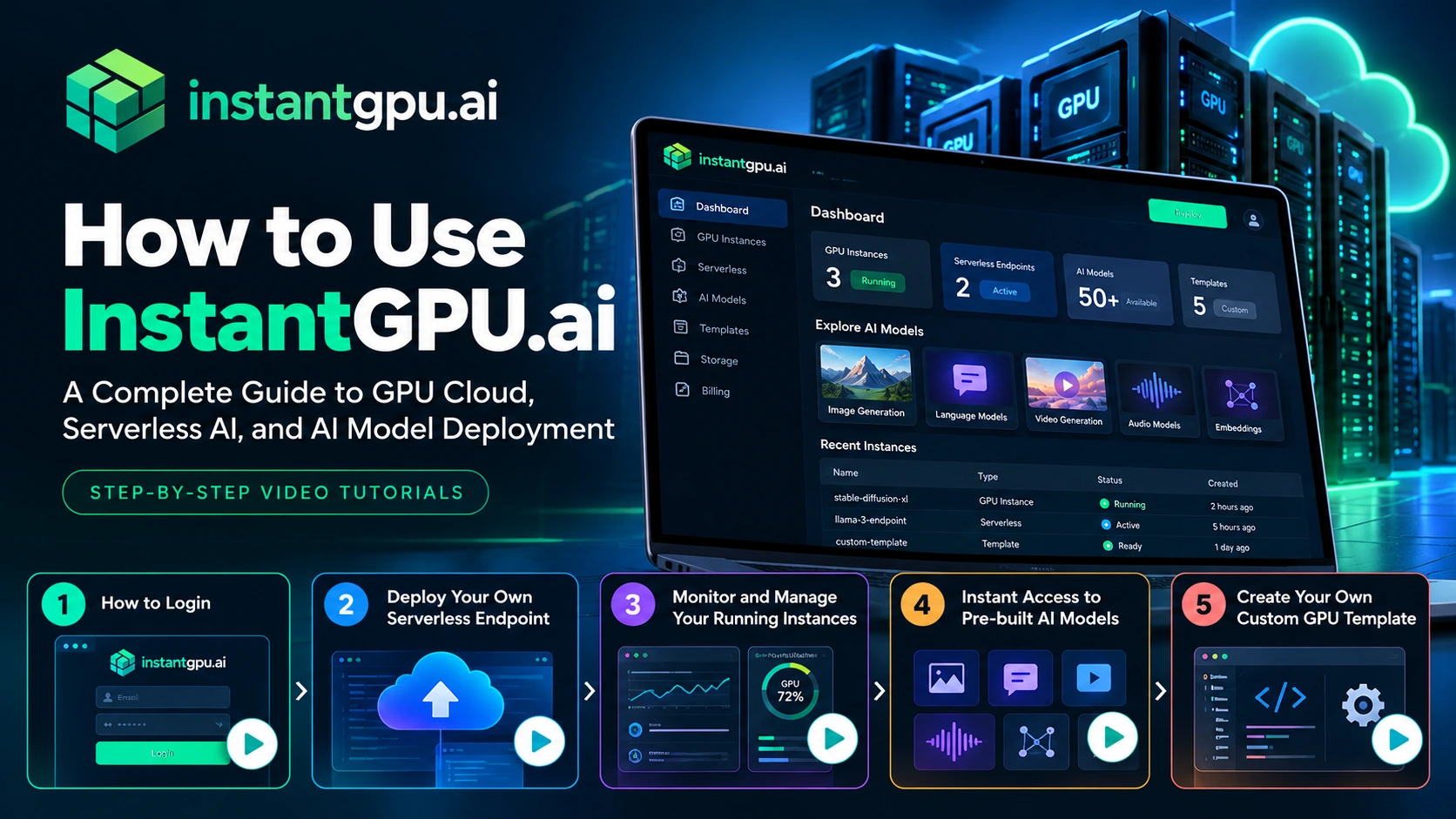
How to Use InstantGPU.ai: A Complete Guide to GPU Cloud, Serverless AI, and AI Model Deployment
How to Use InstantGPU.ai: A Complete Guide to GPU Cloud, Serverless AI, and AI Model Deployment Artificial intelligence is transforming how businesses build software, automate workflows, generate content, and deliver digital products. But running AI workloads often requires access to powerful GPUs, compatible software environments, model dependencies, and reliable deployment infrastructure.For developers and businesses, managing all these components can become a significant technical challenge. InstantGPU.ai helps simplify access to GPU computing, serverless AI deployment, and AI model endpoints through a unified platform. Whether you want to run a dedicated GPU instance, deploy an AI inference endpoint, experiment with pre-built models, or create a reusable custom environment, you can get started through the InstantGPU dashboard. In this guide, we’ll explain how to get started with InstantGPU.ai and walk you through its key features using our step-by-step video tutorials. What Is InstantGPU.ai? InstantGPU.ai is a multi-cloud GPU platform designed to help developers and businesses access GPU infrastructure and deploy AI workloads without having to manage every aspect of the underlying infrastructure themselves. The platform brings together several capabilities: GPU Cloud: Access dedicated GPU instances for development, experimentation, training, and other compute-intensive workloads. Serverless AI: Deploy functions and AI workloads that can scale according to demand. AI Model Endpoints: Access supported AI models through API-based interfaces for applications involving image generation, video, audio, language, and embeddings. Pre-built Templates: Start with existing environments for supported frameworks, models, and tools. Custom GPU Templates: Create and reuse environments tailored to your requirements. Explore the InstantGPU.ai platform to learn more about its available capabilities. Step 1: How to Log In to InstantGPU.ai The first step is to access your InstantGPU account.Once you have registered, you can log in to the platform and access the dashboard, where you can explore the available GPU services, deployments, models, and other account features.Your dashboard is the starting point for managing your AI workloads and choosing the resources that fit your project. Watch the tutorial: How to Log In Video: How to Login to InstantGPU.aihttps://www.youtube.com/watch?v=3GCeosVM318In this tutorial, we’ll show you how to log in to InstantGPU and get started with your account. What you’ll learn: How to access your InstantGPU account. How to navigate to the dashboard. Where to begin when exploring the platform. If you’re new to InstantGPU, start with this video before moving on to the deployment tutorials. Step 2: Deploy Your Own Serverless Endpoint If you are building an AI-powered application, you may need a way to run model inference and make the results available to your application through an API.A serverless endpoint can help you achieve this without having to manage a dedicated server for every inference workload.With InstantGPU Serverless, you can deploy supported workloads using available templates or your own container. The platform is designed to handle infrastructure provisioning and scaling, including scaling to zero when idle where supported by the deployment configuration.This approach can be useful for AI-powered SaaS products, content-generation applications, chatbots, image-processing tools, and other applications with variable workloads. Watch the tutorial: Deploy Your Own Serverless Endpoint Video: Deploy Your Own Serverless Endpoint on InstantGPU https://www.youtube.com/watch?v=XHOmBV4js_EThis step-by-step video demonstrates how to deploy an endpoint directly from the InstantGPU dashboard, from selecting your deployment configuration to bringing your endpoint online. What you’ll learn: How to get started with a serverless deployment. How to select an appropriate template or deployment option. How to configure and deploy your workload. How to locate and use your deployed endpoint. For more information about serverless GPU deployment, visit the InstantGPU Serverless page. Step 3: Monitor and Manage Your Running GPU Instances Deploying a workload is only one part of working with GPU infrastructure. You also need to understand its status and manage resources throughout the development lifecycle. Monitoring and instance management help you keep track of your running workloads and identify when you need to make changes. Depending on the instance type and available dashboard features, common management tasks can include checking instance status, reviewing available resource information, and starting or stopping instances when appropriate. For dedicated GPU workloads, effective instance management is particularly important because resources that remain running may continue to incur charges. Before stopping an instance, make sure you understand whether its storage and any unsaved work will be preserved. Watch the tutorial: Monitor and Manage Your Running Instances Video: Monitor and Manage Your Running Instances on InstantGPU https://www.youtube.com/watch?v=XHOmBV4js_EIn this video, we’ll demonstrate how to monitor and manage running instances from one place. What you’ll learn: How to find your running instances. How to check instance status. How to access available management controls. How to manage your GPU resources more effectively. Explore InstantGPU to learn more about the available GPU infrastructure options. Step 4: Get Instant Access to Pre-built AI Models Building an AI application does not always require training a model from scratch or configuring an entire inference environment yourself. Pre-built AI models and deployment templates can help you experiment with existing capabilities and accelerate development. Depending on your use case, you may want to work with models for: Image generation and editing: Create or modify visual content. Video generation: Experiment with AI-powered video creation and editing. Audio processing: Work with speech generation, transcription, and related audio tasks. Language models: Build chatbots, content-generation features, and text-processing workflows. Embeddings: Generate vector representations for semantic search, retrieval, and other AI applications. The right model depends on the task you want to perform, the quality of results you need, the latency requirements, and your available budget.InstantGPU provides a model discovery and endpoint experience for supported models, allowing you to explore available options and test compatible workloads before integrating them into your application. Watch the tutorial: Instant Access to Pre-built AI Models Video: How to Find and Use Pre-built AI Models on InstantGPUhttps://www.youtube.com/watch?v=XHOmBV4js_EIn this tutorial, we’ll show you how to find available pre-built AI models and get started using them through the platform. What you’ll learn: How to discover available models. How to identify models relevant to your use case. How to test supported models. How to get started